
Skip to content

Early-access beta

Fake customers.Real foreign keys.

DOGM.ai generates fictional, connected test data from a spec: every order points at a customer that exists, and every total adds up. Give it the same seed and you get the same rows, so nobody has to copy production to test a checkout.

The demo runs in your browser, no sign-upDOGM = Data Orchestration, Generation & Masking

Data studio

/ Sample workspace
Interactive demo

E-commerce. Customers who place orders, and the payments that settle them. Amounts in Philippine pesos (PHP).

Fixed scenario recipes, generated in your browser. The same seed always rebuilds the same data.

Showing 5 of 24 rows

First 5 of 24 rows in Customers
customer_idfull_nameemailcityjoined_on
CUS-0001Joy Limjoy.lim@example.netPasig2026-02-01
CUS-0002Rhea Navarrorhea.navarro@example.netCebu City2026-01-23
CUS-0003Gabriel Escobargabriel.escobar@example.comDavao City2026-02-14
CUS-0004Gabriel Pascualgabriel.pascual@example.orgCebu City2026-02-11
CUS-0005Nico Manalonico.manalo@example.orgPasig2026-01-14

Export customers.csv · all 24 rows · original values

Preview and copy the full CSV

Sample ready: 24 customers, 49 orders, 49 payments. 7 of 7 checks passed.

What synthetic data means here

Fictional records that behave like real ones: foreign keys resolve, and a payment never lands before its order. No real person sits behind any row.

  • In the demo

    Relational tables

    Linked by primary and foreign keys

  • In the demo

    CSV

    Any table, every row

  • Hosted runs

    JSONL

    One object per row

  • Hosted runs

    SQL

    Postgres INSERT batches

Generation, orchestration, masking

Three jobs.One spec file.

The name spells out the plan: Data Orchestration, Generation & Masking. Each block below says what runs in the demo today and what comes next.

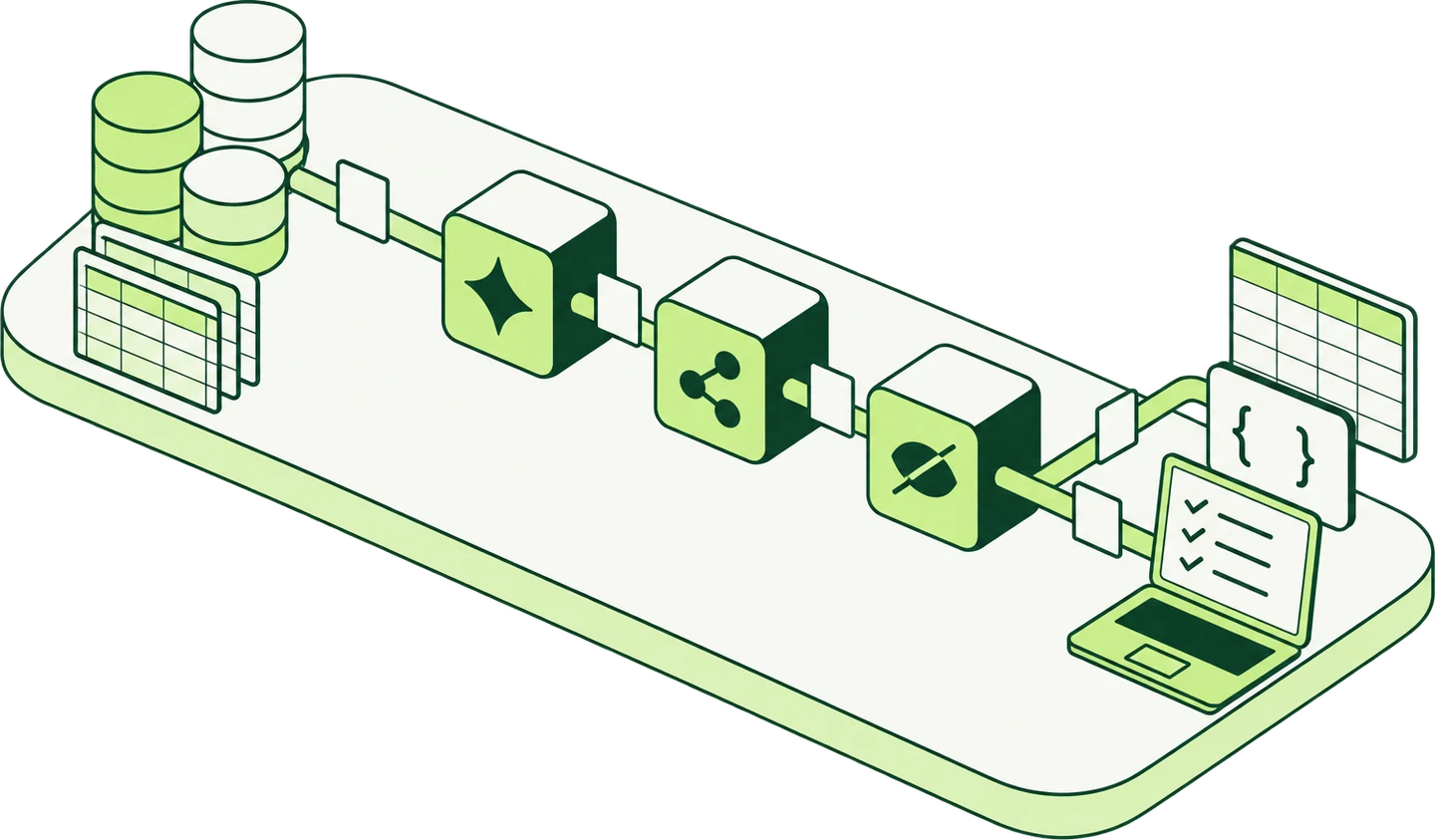
Illustration of the platform vision: data sources pass through generation, orchestration and masking modules on their way to tables, JSON and tested applications.
  1. 01

    Generate

    Connected, fictional tables from a scenario.

  2. 02

    Orchestrate

    Generation, checks and output as one run you can repeat.

  3. 03

    Mask

    Names and IDs swapped, joins kept.

01 · Generation

Describe a shop, get the tables.

Start from a scenario like a shop, a hiring pipeline or a help desk, and get connected tables where every order belongs to a customer and every total adds up.

In the demo
Three scenarios (shop, hiring, help desk), seeded and repeatable, with linked tables.
Beyond it
In the app, AI drafts a spec from plain words, SQL DDL or a Prisma schema, you approve it, and hosted runs write CSV, JSONL or SQL. Parquet arrives in the next engine release.
How generation works

customers

  • customer_id
  • full_name
  • email
customer_id references customers

orders

  • order_id
  • customer_id
  • total_php
order_id references orders

payments

  • payment_id
  • order_id
  • amount_php

02 · Orchestration

One run, every check in it.

Generation, checks and output run as one workflow, so anyone on the team can rebuild a dataset the same way and get the same files.

  1. 1Read recipe
  2. 2Generate
  3. 3Validate
  4. 4Prepare output
In the demo
A four-step workflow that runs real checks in your browser.
Beyond it
Hosted runs keep the checks report and a Reproduce command, webhooks tell your systems when a run ends, and the GitHub Action fails CI when a check fails.
How a run works

03 · Masking

New names. Same joins.

Replace names and emails consistently: the same person gets the same stand-in in every table, and their records stay connected.

  • full_name

    Bea CastilloTala Mercado

  • email

    bea.castillo@example.comtala.mercado@example.com

  • customer_id

    CUS-0007CUS-0007 (kept)

In the demo
Names and emails masked across all tables of the sample.
Beyond it
Hosted runs apply a spec's mask block with your project's key. For exports you already hold, dogm mask runs on your own machine, with modes such as format-preserving encryption for TIN and SSS numbers; until the CLI's first release, you build it from source.
How masking works

How the demo works

Set a recipe.Check it, then export.

recipe.json

{
  "scenario": "ecommerce",
  "records": 24,
  "seed": 2026,
  "masking": false,
  "tables": {
    "customers": 24,
    "orders": 49,
    "payments": 49
  },
  "relationships": [
    "orders.customer_id → customers",
    "payments.order_id → orders"
  ]
}

Live from the sample workspace: E-commerce, seed 2026. Change it in the workspace

From schema to CI

One spec file,all the way to CI.

The same spec drives every step, so the data your tests read in CI is the data you checked on your machine.

  1. 01

    Spec

    Tables, keys, rules and row counts in one YAML file.

  2. 02

    Generate

    Seeded output: same seed, same bytes.

  3. 03

    Check

    Keys, references, types and rules, written to JSON, JUnit XML and SARIF.

  4. 04

    Mask

    Columns in the mask block get keyed stand-ins in the same run, so masked keys still join.

  5. 05

    CI gate

    A GitHub Action that runs the checks and fails the build when one fails.

Hosted runs do every step today, and the GitHub Action's hosted mode runs them from CI. The dogm CLI does the same on your machine; it's built from source until its first release, and the Action's local mode waits on that release.

Use cases

Who uses it, and for what.

All four use cases
  1. Application development

    Fill a dev database with records that look and join like production, without copying anyone's data onto a laptop.

    orders.csv49 rows, each linked to a customer

  2. QA and edge cases

    Make the rare paths show up on purpose: cancelled orders, refunds, support tickets with long reply threads, text with quotes and line breaks.

    status: cancelledpayment refunded, totals still add up

  3. AI evaluation

    Build a fictional evaluation set and keep the seed, so you can rerun the exact same inputs after a prompt or model change.

    seed: 2026same seed, same rows, every time

Pricing

Free to start.Priced in pesos.

You pay per 30 days with QR Ph, and there's no card on file. During the beta, every workspace gets Pro limits at no cost.

  • Free

    ₱0

    20 hosted runs a month, 100k rows per run

  • Pro

    ₱1,490

    per 30 days (draft), free during the beta

  • Team

    ₱4,990

    per 30 days (draft), up to 15 members

The CLI, local generation and local masking are free on every plan. Billing runs in PayMongo's test mode during the beta, so no real money moves.

Questions

Straight answers.

What is DOGM.ai?

DOGM.ai is a synthetic test data tool for developers, QA teams and AI engineers. You describe tables in a YAML spec, and it generates fictional rows with valid keys, checks every rule, and gives the same output for the same seed.

What is synthetic data?

Data that's generated, not collected. It follows the shape and rules of real records, like customers whose orders add up, but it describes no real person or event.

Is the data in the demo real?

No. Names come from fictional name pools, emails use reserved example domains, and amounts come from fixed price lists. Nothing on this page describes a real person.

Does the demo send anything to a server?

No. Generation, masking, checks and CSV export all run in your browser. The demo never asks for your data, and it has nowhere to send it.

Can I rebuild the same dataset later?

Yes. A dataset comes from a scenario, a record count and a seed; enter the same three and you get the same rows in the same order.

Is the masking safe to use on real personal data?

Not in this form. The demo shows the idea, consistent replacement that keeps records connected, but it isn't anonymization and makes no privacy guarantee.

What can I use today, and what comes next?

Sign up and you get a beta workspace with Pro limits at no cost: hosted runs, AI drafting from plain words, SQL DDL or a Prisma schema, API keys, webhooks, email notices, and data export and deletion. Billing runs in test mode, so no real money moves, and the in-browser demo still needs no account. Still to come: the first public CLI release (build it from source until then), Parquet output in the next engine release, then SQLite output, database connections and an MCP server.

Try it in your browser

No account.No upload.

Each click makes a new connected sample on your machine, and you can download every table as CSV.